
Direct answer
IT asset disposal (ITAD) is the secure, documented retirement of business IT equipment. The core steps are to inventory every device, decide whether each is wiped for reuse or physically destroyed, keep a chain of custody, and obtain certificates that match serial numbers. Because storage can hold personal and commercial data, UK GDPR security duties apply, and electrical waste falls under the WEEE Regulations. Deleting files or reformatting is not a reliable wipe. Check ICO, NCSC and GOV.UK guidance and ask providers to evidence their methods.
Contents
- What ITAD is and why tech firms need it
- Building disposal into the device lifecycle
- What counts as an IT asset
- The legal and contractual background
- If something goes wrong
- Start with an asset inventory
- Asset tags and serial numbers
- Classify data and decide the method
- Writing a short media sanitisation policy
- Data wiping: how it works and when it is enough
- Why SSDs and phones are different
- Physical destruction
- Particle size and verification
- On-site versus off-site services
- Choosing by volume and risk
- Chain of custody
- Transport and handover
- Reuse, resale and recycling
- Realistic expectations on resale value
- Choosing and checking an ITAD provider
- Questions to put to a provider
- Common ITAD mistakes
- Putting it right
- Frequently asked questions
What ITAD is and why tech firms need it
More than recycling.
IT asset disposal, or ITAD, is the process of retiring business technology in a controlled way. It covers laptops, desktops, servers, network kit, phones, tablets, printers, storage arrays and removable media. The aim is to remove data securely, recover value where possible, and dispose of the rest lawfully.
For a tech firm the stakes are higher than for most. Your devices may hold source code, customer data, credentials, test data copied from live systems and client information held under contract. A single drive thrown into a general skip could expose all of it.
ITAD is also a records exercise. Regulators, clients and insurers may ask you to show what happened to a particular device. If you cannot, you have a gap in your security story even if nothing went wrong.
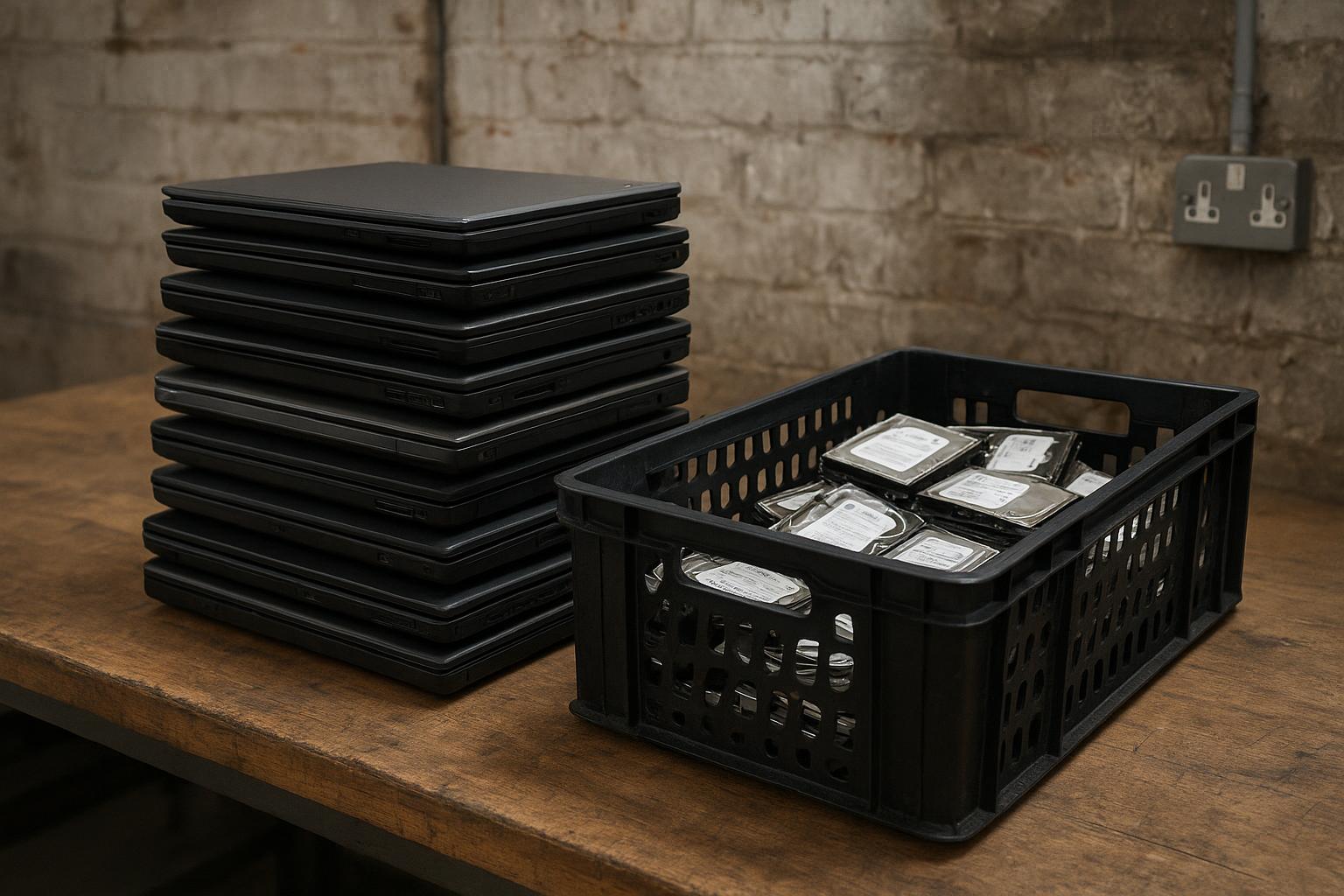
Building disposal into the device lifecycle
Plan at purchase, not at retirement.
The easiest ITAD projects are the ones planned at purchase. Record each device in the register when it arrives, assign an owner and set an expected retirement date. When the date arrives, the disposal steps are already known.
Full-disk encryption from day one makes later sanitisation simpler and reduces the damage if a device is lost in service. It does not remove the need for proper disposal, but it is a useful extra layer.
Leaver processes matter too. When an employee leaves, collect their devices, check them against the register and queue them for wiping. Devices left in drawers for years are a common source of surprise on clear-out day.
What counts as an IT asset
Wider than laptops.
The obvious assets are laptops, desktops and servers. The less obvious ones often cause the problems. Multifunction printers and copiers may hold scanned documents on internal drives. Network switches and firewalls store configurations and credentials. Phones and tablets hold email, messaging and authentication apps.
Storage media also includes external drives, USB sticks, memory cards, optical discs, backup tapes and NAS devices. Developer kits, test handsets and single-board computers often hold project data and keys.
Cloud accounts are not physical assets, but devices are often logged in to them. Before retiring a device, sign out, remove it from management systems and revoke tokens and certificates tied to it.
The legal and contractual background
Three strands to keep in mind.
First, data protection. UK GDPR requires organisations to keep personal data secure using appropriate measures. Disposal is part of the data lifecycle, so security duties continue until the data is irretrievably gone. The ICO publishes guidance on security and on personal data breaches.
Second, waste law. Electrical and electronic equipment is regulated through the Waste Electrical and Electronic Equipment (WEEE) Regulations, and businesses also have a general waste duty of care. Our guide to WEEE regulations and electronics recycling in London explains the basics.
Third, contracts. Customer agreements, security questionnaires and certifications may set specific requirements for media sanitisation and evidence. Read them before you decide how to retire kit. Rules and standards change, so confirm the current position with the official sources and your own advisers.
If something goes wrong
Know the reporting route.
If a device holding personal data is lost, stolen or disposed of insecurely, it may be a personal data breach. In some cases, it must be reported to the ICO within 72 hours of becoming aware, and affected individuals may need to be told. The ICO website explains the test.
Have an incident process in place before the clear-out, with a named person to decide whether something is reportable. Keep notes of what you knew and when.
Contractual duties may also require notifying clients, and insurers may need prompt notice. Check your agreements and policies, and take advice where needed.
Start with an asset inventory
You cannot dispose of what you cannot list.
Build or update a register of every item to be retired. For each, record the asset tag, serial number, make and model, type of storage, location, owner or last user and the planned outcome. Include devices that are easy to forget, such as network switches, firewalls, printers with hard drives, and test devices in drawers.
Cross-check the register against your procurement records, mobile device management system and building walk-throughs. Gaps between the lists often reveal unmanaged devices. Remote workers may also hold company equipment that needs to be recovered.
Mark which devices contain removable storage and which have storage soldered to the board. This affects the method you can use, and it shapes the instructions you give to a provider.
Classify data and decide the method
Match the method to the risk.
Not every device needs the same treatment. A reception tablet that never held anything sensitive is a different case from a developer laptop or a database server. Decide categories, such as standard, sensitive and highly sensitive, and set the sanitisation method for each.
The UK National Cyber Security Centre (NCSC) publishes guidance on secure sanitisation of storage media, which many organisations use as a starting point. Take advice from your security lead or an adviser on what is appropriate for your data and obligations.
Where there is doubt, choose the more conservative method. The cost of destroying a drive is usually small compared with the cost of a breach, and it avoids arguments about whether a wipe was complete.
Writing a short media sanitisation policy
One page is enough.
A short policy removes guesswork. It should say who authorises disposal, how data is classified, which methods apply to which category, how evidence is recorded, and who signs off. It should also say how exceptions are handled.
Include simple rules for common cases, such as: all drives from servers are destroyed; laptops are wiped and verified, then reused or sold; failed drives are destroyed.
Review the policy at least once a year and after any change in your contracts or data. Share it with the people who actually handle the equipment, not just with management.
Data wiping: how it works and when it is enough
Overwriting, erasing and verifying.
Software wiping overwrites the data on a drive so that the original content cannot be recovered. For some modern drives, cryptographic erase or built-in secure erase commands are used instead. Methods differ by drive type, so the right tool for a hard disk may not be right for a solid-state drive or a phone.
Simple deletion and reformatting are not sufficient. They typically remove pointers to the data but leave the content in place until it is overwritten, and it may be recoverable with readily available tools.
A proper wipe is verified and logged by serial number. Good tools produce a report showing the device, method, time and result. If a drive fails the wipe or cannot be verified, it should go to physical destruction. Wiping is attractive because it allows devices to be reused or resold, but only when you can evidence that it worked.
Why SSDs and phones are different
Not the same as spinning disks.
Solid-state drives manage storage internally, moving data around to spread wear. Overwriting from the outside may not reach every cell. Many organisations use the drive’s own secure erase or cryptographic erase functions, and verify the outcome, or choose destruction.
Phones and tablets are usually encrypted, so a proper factory reset after removing accounts can be effective, but only if the device was encrypted throughout and the reset is verified. Follow the manufacturer’s guidance and your security policy.
If you are not sure a method is sound, ask a specialist or choose destruction. The aim is a result you can defend, not the cheapest method on the day.
Physical destruction
When wiping is not enough.
Physical destruction means shredding, crushing or otherwise rendering the storage media unusable. It is common for failed drives, highly sensitive devices, old media such as tapes and discs, and anything you cannot verify as wiped.
Methods include degaussing for magnetic media, drilling or crushing, and industrial shredding to small particle sizes. The right choice depends on the media type. Solid-state storage chips are hard to destroy reliably by crushing alone, so the particle size matters.
Whoever destroys the media should record serial numbers, date and method, and provide a certificate. Ask whether destruction can be witnessed, either in person or by video, if that matters for your risk level.
Particle size and verification
Smaller can mean safer.
The finer the output, the harder it is to reconstruct data. Standards describe particle sizes for different types of media and levels of sensitivity. Ask the provider what size they produce for your category of media.
Verification can include witnessing, photographs or video of the process, and inspection of the output. For high-risk media, consider attending in person or asking for recorded evidence.
Always match the certificate to the items you handed over. If a drive is missing from the list, find out why before the paperwork is filed.
On-site versus off-site services
Where the work happens.
On-site services bring equipment to your premises, so drives never leave your control until they are destroyed. This can suit highly sensitive environments, though it usually costs more and takes space and notice.
Off-site services collect devices and process them at a secure facility. This is efficient for larger volumes, but it increases the importance of secure transport, sealed containers, tracked handover and a clear timeline between collection and processing.
A hybrid approach is common. Remove drives on site, destroy them on site or hand them over in sealed, numbered containers, and send the remaining hardware for recycling or reuse. Choose the model that fits your risk and your contracts.
Choosing by volume and risk
A practical rule of thumb.
For a handful of devices, using a provider’s collection service with sealed containers and a certificate may be adequate. For large estates or highly sensitive data, on-site or witnessed destruction may be more appropriate.
Ask providers to quote on a like-for-like basis, covering collection, transport, processing, certification and any resale credit. Compare what is included, not just the headline.
Our guide to reading waste collection quotes explains how to spot vague wording and extras that appear later.
Chain of custody
From desk to certificate.
Chain of custody means being able to follow each asset from your premises to final treatment. Use asset tags, sealed tamper-evident containers, signed handovers and tracked vehicles. Record who handled the item at each point.
Hold retired devices in a locked area, not a corridor or loading bay, and keep a log of who has access. Limit the time between decommissioning and collection to reduce the opportunity for loss or theft.
Agree in advance how discrepancies are handled. If the provider’s count differs from yours on arrival, you want a defined process rather than an argument.
Transport and handover
Where things go missing.
Use sealed containers with numbered tamper-evident seals and record the numbers on the handover form. Vehicles should be locked and not left unattended with the load.
At handover, count the containers, check the seals and have both parties sign. Take photographs. Ask for a collection confirmation by email with the container numbers.
If equipment has to wait at your site, keep it in a locked room with limited access, and record who enters.
Reuse, resale and recycling
Recover value responsibly.
Working equipment can be reused internally, donated or resold. Resale can offset some disposal costs, but only if data has been wiped to the standard you require and you can show it. Be careful about what you promise to staff or charities when offering old kit.
Equipment that cannot be reused goes to recycling. Reputable recyclers separate metals, plastics, circuit boards and batteries. Batteries need special handling. Our guide to hazardous waste classification explains why some components are treated differently from general waste.
Ask providers what happens to the equipment after processing. Our guide to what happens to your items after clearance describes the general waste journey, and the same questions apply to electronics.
Realistic expectations on resale value
Do not count on it.
Resale value depends on age, condition, specification, demand and the cost of testing and wiping. Newer laptops in good condition may have value, but older kit, cables, monitors and mixed equipment often have little or none.
Do not build a business case that depends on resale. Treat any return as a bonus, and ask providers to explain how they calculate it and when it will be paid.
Where equipment is donated, make sure the recipient understands that data has been removed, and keep the wipe report. Our guide to donating working appliances covers similar questions for household items.
Choosing and checking an ITAD provider
Ask for evidence.
Ask for the company’s details, insurance, waste carrier registration, WEEE-related permits where relevant, security procedures and the standards they work to. Check what you can through GOV.UK and Companies House, and ask for references from similar organisations.
UK GDPR expects a written contract where a provider processes data on your behalf. Ask your solicitor or data protection lead for the right terms. Check what happens to sub-contractors, and whether processing happens in the UK.
Be careful of anyone who offers to take your equipment for free and cannot explain how data is handled. A genuine service can describe its process, show sample reports and explain what is included in the price.
Questions to put to a provider
Before you sign.
- How is data sanitised or destroyed, and to what standard?
- Do you provide reports by serial number?
- Where does processing happen, and who has access?
- What insurance do you hold?
- Are you a registered waste carrier, and what WEEE arrangements apply?
- What happens to equipment after processing?
- How long do you keep records, and can I access them?
- Do you use sub-contractors, and are they covered by the same terms?
Common ITAD mistakes
Easy to make, easy to avoid.
- Relying on deletion or factory reset as if it were a secure wipe.
- Forgetting printers, switches, firewalls, phones and USB drives.
- Leaving retired devices in unlocked rooms for weeks.
- Handing kit to a general clearance crew without any data controls.
- Accepting a certificate that does not list serial numbers.
- Not keeping contracts, reports and certificates for later queries.
- Skipping WEEE and waste duty of care paperwork.
- Not recovering devices from remote and hybrid workers.
Putting it right
If you have already missed something.
If you find devices that left without proper sanitisation, act quickly. Establish what was on them, who has them now and whether they can be recovered. Consider whether the situation amounts to a personal data breach.
Record what happened, what you did and why. Honest documentation is better than silence if questions come later.
Then fix the process. Add the missing step to your checklist, brief the people involved and test it on the next batch.
Frequently asked questions
Common questions about IT asset disposal and data destruction.
What is ITAD?
IT asset disposal is the secure, documented retirement of business IT equipment, including data sanitisation, reuse, resale and recycling, with records showing what happened to each device.
Is deleting files or reformatting a drive enough?
No. These steps usually leave data recoverable. Use a verified wipe method suited to the drive type, or physical destruction, and keep a record.
When should I physically destroy a drive instead of wiping it?
Typically for failed drives, drives that cannot be verified as wiped, very sensitive data and old media. Your security policy and contracts may set the rule.
Do WEEE rules apply to business IT equipment?
Yes. Electrical and electronic equipment is regulated under the WEEE Regulations, and businesses should use suitable routes for disposal. Check GOV.UK for current requirements.
What should be on a certificate of data destruction?
Ideally the provider’s details, date, method, and a list of serial numbers or asset tags that matches your inventory, along with a reference to your collection record.
Can a clearance company handle IT equipment?
Some may collect it, but general clearance is not the same as secure data destruction. Ask exactly what is done to the data and what evidence you will receive.
Can I sell old company laptops?
Often yes, if data has been wiped to the standard you need and verified. Keep the wipe report with the sale record.
Who is responsible if a drive leaks data after disposal?
Your organisation is generally still responsible for personal data it controls, even when a provider is used. That is why contracts, due diligence and records matter. Take advice for your situation.